Screenshots
App details
- Updated
- Jun 14, 2024
- Requires
- Windows 10, Windows Vista, Windows 8, Wi...
- Developer
- H.D.S. Hungary
- Category
- Mobile
SoftPas in:
This product is also available in the following languages:
About Hard Disk Sentinel
Download Hard Disk Sentinel – hard disk monitoring, hard drive diagnostics, S.M.A.R.T. monitoring, disk health check, prevent data loss, hard disk maintenance, PC utility, hard drive status, disk temperature, hard drive failure prevention
Overview
Hard Disk Sentinel is a specialized utility designed to monitor, analyze, and maintain the health of hard disk drives on Windows systems. The application serves as a preventive tool aimed at identifying early signs of disk degradation, temperature spikes, and performance drops before they lead to system failure or data loss. Its primary purpose is to provide users with real-time insights into the physical and operational condition of their storage devices, enabling timely intervention.
Target users include both individual consumers and IT professionals who rely heavily on data integrity and system stability. The app is especially beneficial for users with older systems or those who store critical files, such as photographers, video editors, and business users. By continuously tracking key metrics like S.M.A.R.T. attributes, temperature, and read/write performance, Hard Disk Sentinel helps users avoid unexpected crashes and data corruption.
The developer, Hard Disk Sentinel, has positioned the software as a reliable solution within the PC utility category. While specific company background details were not provided, the app’s focus on detailed diagnostics and proactive alerts suggests a strong technical foundation. Real-world use cases include pre-emptive maintenance before hardware upgrades, monitoring drives in multi-disk setups, and ensuring long-term reliability of backup systems.
Within the broader software ecosystem, Hard Disk Sentinel fills a niche by offering a dedicated, comprehensive monitoring solution that goes beyond basic system tools. Its ability to deliver actionable intelligence makes it a valuable addition to any system that prioritizes data safety and operational continuity.
Key Features & Functionality
- Real-time S.M.A.R.T. Monitoring: Continuously reads and interprets S.M.A.R.T. data from hard drives, providing early warnings for potential failures based on predefined thresholds.
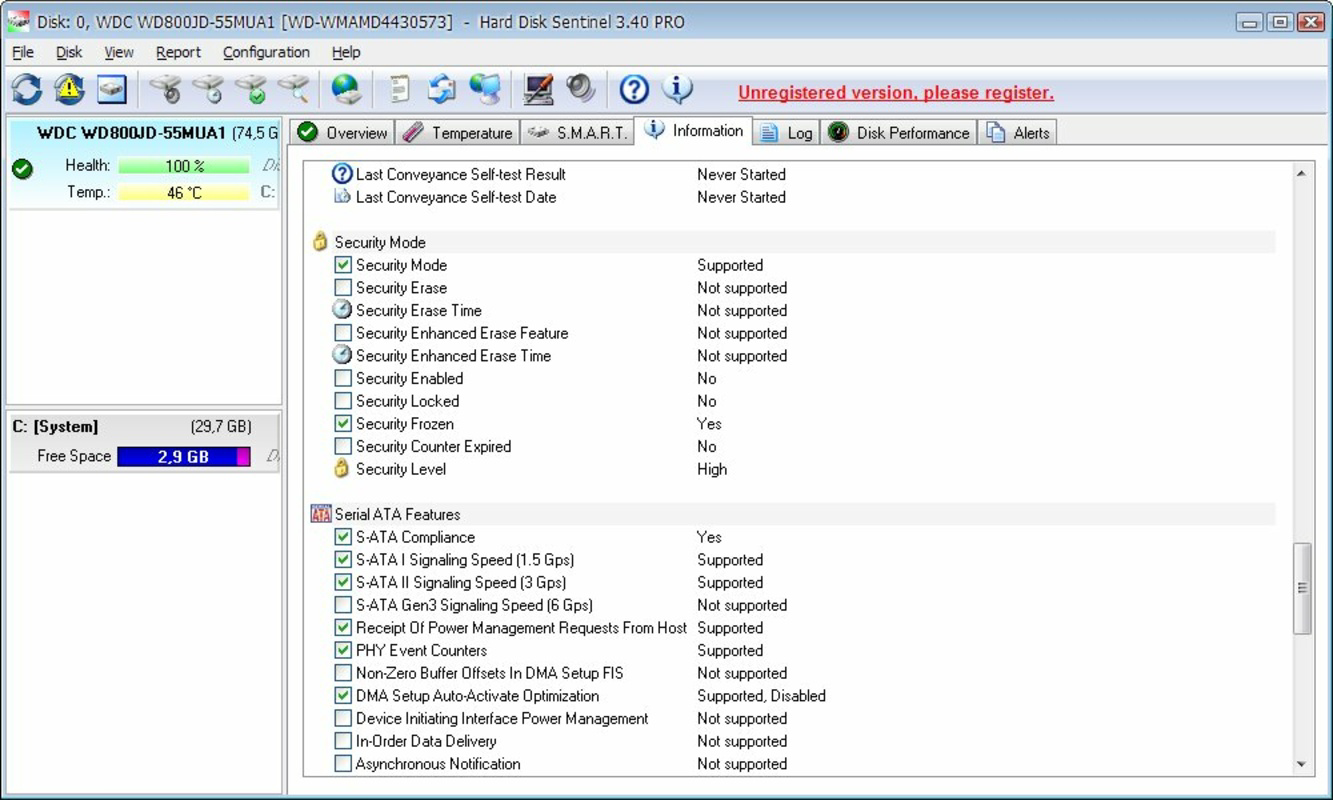
- Disk Health Status Dashboard: Offers a centralized view of all connected drives, displaying overall health, temperature, and performance metrics at a glance.
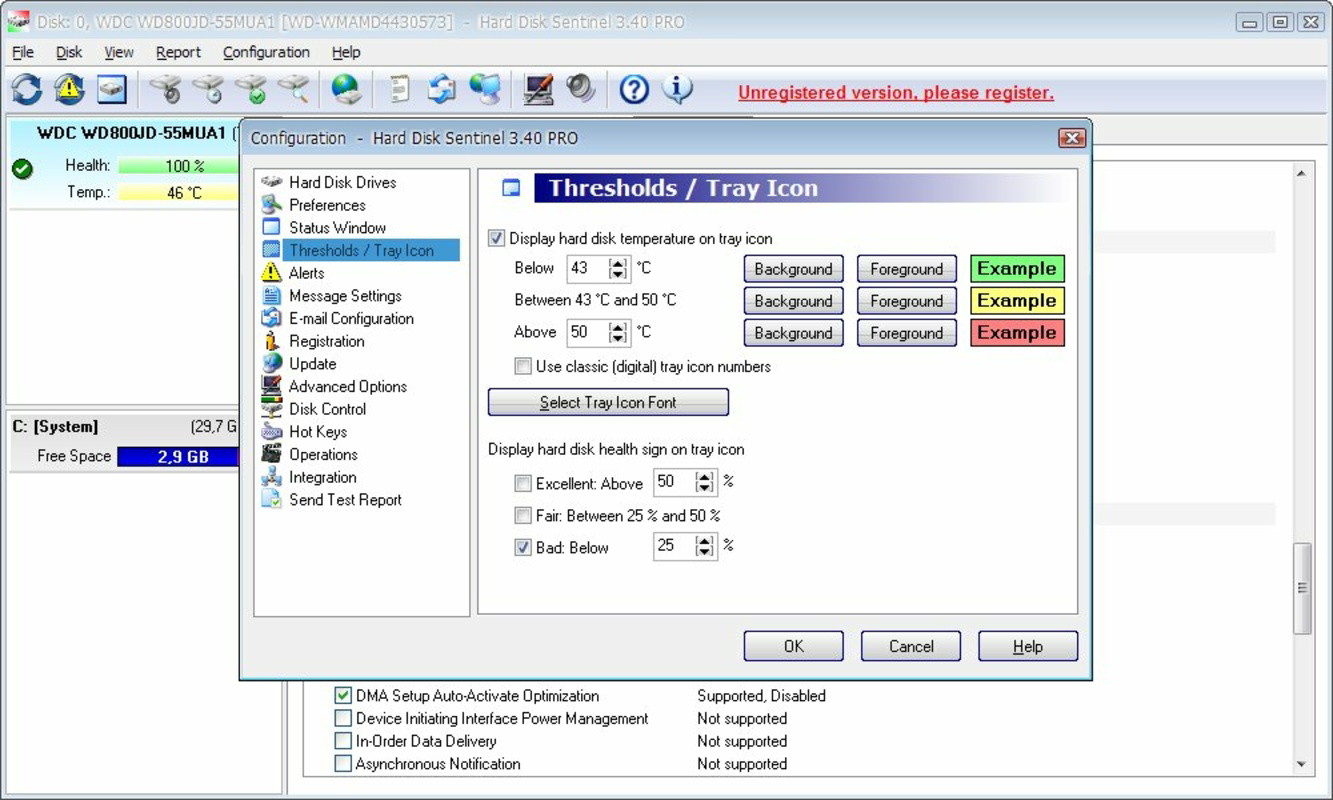
- Temperature Monitoring: Tracks drive temperature in real time, helping users identify overheating issues that can shorten drive lifespan.
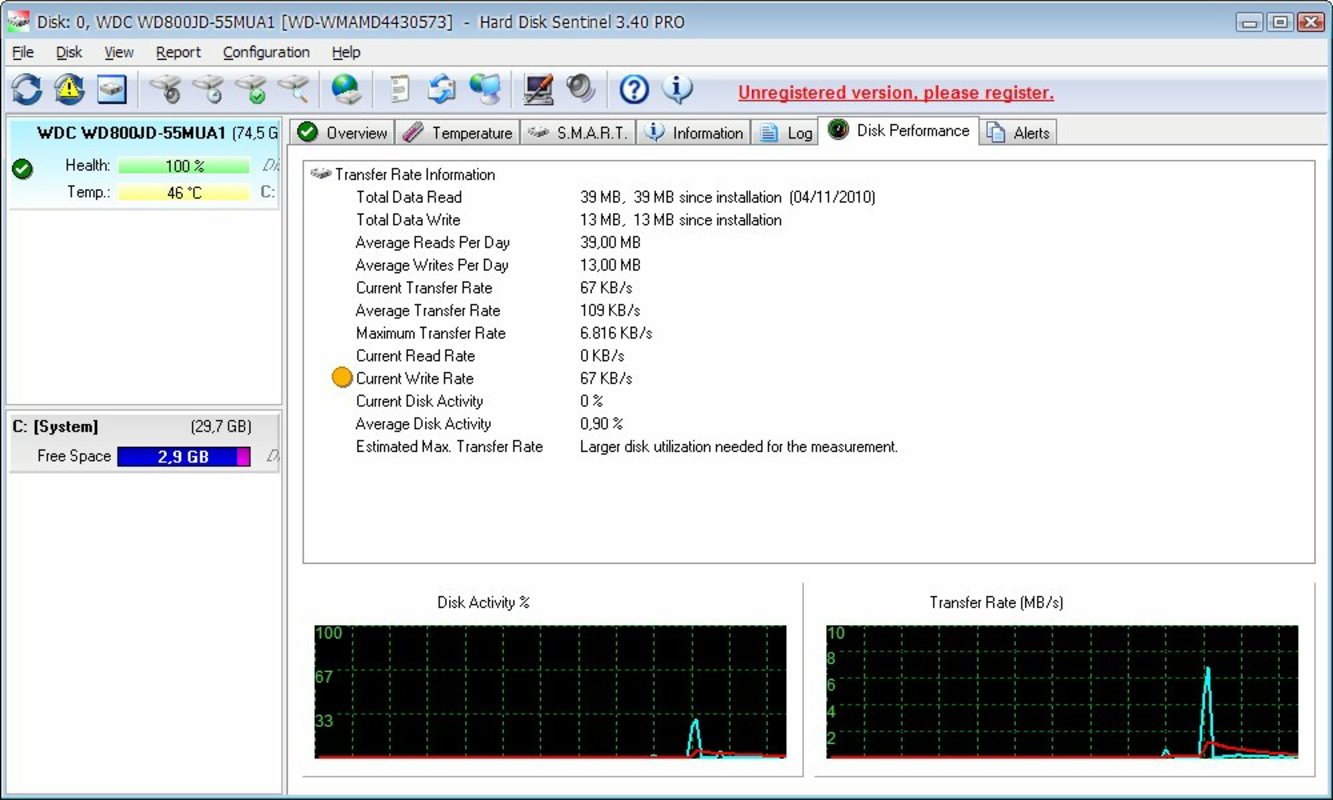
- Performance and Error Tracking: Logs read/write errors, bad sectors, and performance degradation over time, allowing users to assess long-term drive behavior.
- Customizable Alerts: Enables users to set up notifications for specific conditions, such as temperature thresholds or sudden performance drops, via pop-ups or sound signals.
- Background Operation: Runs silently in the system tray, continuously monitoring disk status without impacting user workflow.
For example, a user managing a large media library can use the app to detect early signs of sector failure, allowing them to initiate a backup before data becomes irretrievable. Similarly, a system administrator can leverage the error logging feature to audit drive reliability across multiple workstations. The tool’s ability to provide granular, actionable data transforms passive monitoring into active maintenance, significantly reducing the risk of data loss.
Interface, UX & Performance
Hard Disk Sentinel features a clean, information-dense interface designed for both novice and advanced users. The main dashboard presents a hierarchical layout with clearly labeled tabs for health status, temperature, S.M.A.R.T. data, performance metrics, and error logs. Navigation is intuitive, with tooltips and color-coded indicators (green for healthy, yellow for caution, red for critical) providing immediate visual feedback.
The application maintains a lightweight footprint, consuming minimal system resources during operation. Although the developer did not list formal performance metrics, the app operates smoothly on standard Windows configurations without noticeable lag or memory overhead. Responsiveness is consistent across different device categories, including desktops and laptops with varying hardware specs.
Stability is a key strength—users can expect uninterrupted monitoring even during extended sessions. The background service runs reliably, and the interface updates in real time without freezing or crashing. While the app is not mobile-based, its design principles reflect a high standard of usability, with logical grouping of data and accessible export options for diagnostic reports.
Platform Compatibility & Technical Requirements
Hard Disk Sentinel is available exclusively for the Windows platform. The current version is 6.2, with a file size of 45.3 MB. The developer did not specify minimum OS requirements, nor did they list compatibility details for specific Windows editions or hardware architectures.
Given the app’s nature as a low-level system utility, it likely requires direct access to storage device drivers and hardware sensors. Users should ensure their system supports S.M.A.R.T. monitoring, which is standard on most modern hard drives and SSDs. The developer did not provide additional technical details, such as required permissions or background service configurations.
Pros and Cons
Pros
- Comprehensive S.M.A.R.T. monitoring for early failure detection
- Real-time temperature and performance tracking
- Intuitive interface with visual health indicators
- Background operation without performance impact
- Customizable alert system for proactive maintenance
- Proven utility for data protection and system stability
Cons
- Not available for mobile platforms (Android/iOS)
- Price point of $29.95 may be high for casual users
- No public information on developer’s technical support or update frequency
- Compatibility with older Windows versions was not disclosed
- Requires S.M.A.R.T.-enabled drives for full functionality
FAQ
Is Hard Disk Sentinel safe to install and run?
Yes, the software is designed to operate safely within the Windows environment. It accesses drive health data through standard system APIs and does not modify disk contents or system settings.
Can I use Hard Disk Sentinel on multiple computers?
The licensing terms were not specified. Users should consult the official website or purchase documentation for details on multi-device usage rights.
Does Hard Disk Sentinel work with SSDs?
Yes, the app supports both traditional hard drives and solid-state drives, provided they report S.M.A.R.T. data, which is standard on most modern SSDs.
How often does the app update its monitoring data?
Hard Disk Sentinel updates its readings in real time, typically every few seconds, depending on system load and configuration settings.
Is technical support available?
Support details were not provided. Users are advised to check the official website for assistance options, documentation, or community forums.
Final Thoughts
Hard Disk Sentinel stands out as a powerful, reliable tool for anyone serious about protecting their data and ensuring long-term system health. Its deep integration with S.M.A.R.T. diagnostics, combined with real-time monitoring and customizable alerts, makes it an essential utility for both personal and professional use. While the price may deter budget-conscious users, the value it delivers in preventing catastrophic data loss justifies the investment for those who depend on their storage systems.
For users managing critical data, running multiple drives, or maintaining older hardware, this app offers peace of mind through proactive maintenance. It transforms passive system usage into a vigilant, data-protective workflow.
Download Hard Disk Sentinel now
Guides & Tutorials
How to install Hard Disk Sentinel
- Click the Download button above.
- Once redirected, accept the terms and click Install.
- Wait for the Hard Disk Sentinel download to finish on your device.
How to use Hard Disk Sentinel
This software is primarily used for its core features described above. Open the app after installation to explore its capabilities.
User Reviews
No reviews yet. Be the first to share your experience.
You may also like
more
Que no te pillen¡
About !Que no te pillen¡Reviewed by Jason A. BilbreyShow MoreShow Less

3D Combat Zone
About 3D Combat ZoneOriginally released in 1983, 3D Combat Zone immerses players...

666: El día del portal
About 666: El día del portalOn June 6, 2006, Agent P. Stone uncovers a sinister...

80 in 1 Best Flash games
About 80 in 1 Best Flash games 80 in 1 Best Flash games is a collection of 80 fl...

ABYSS SEEKERーーWhat Do You See Deep in The Abyss
About ABYSS SEEKERーーWhat Do You See Deep in The AbyssIn ABYSS SEEKER, players...

ACA NEOGEO THE KING OF FIGHTERS 2002 for Windows
About ACA NEOGEO THE KING OF FIGHTERS 2002 for WindowsTHE KING OF FIGHTERS 2002,...